Vector Brush Engine: Your Unlimited Palette
Explore Brinimate's 18 brush styles. From watercolor to neon, discover how vector strokes work without consuming extra RAM.
LuisOA
Brinimate Team
Vector Brush Engine: Your Unlimited Palette
Brinimate includes a 100% Vector Brush Engine. Unlike other editors, here no stroke ever pixelates: everything scales perfectly and RAM consumption remains minimal, allowing you to draw hundreds of strokes without sluggishness.
🖌️ Choosing Your Style
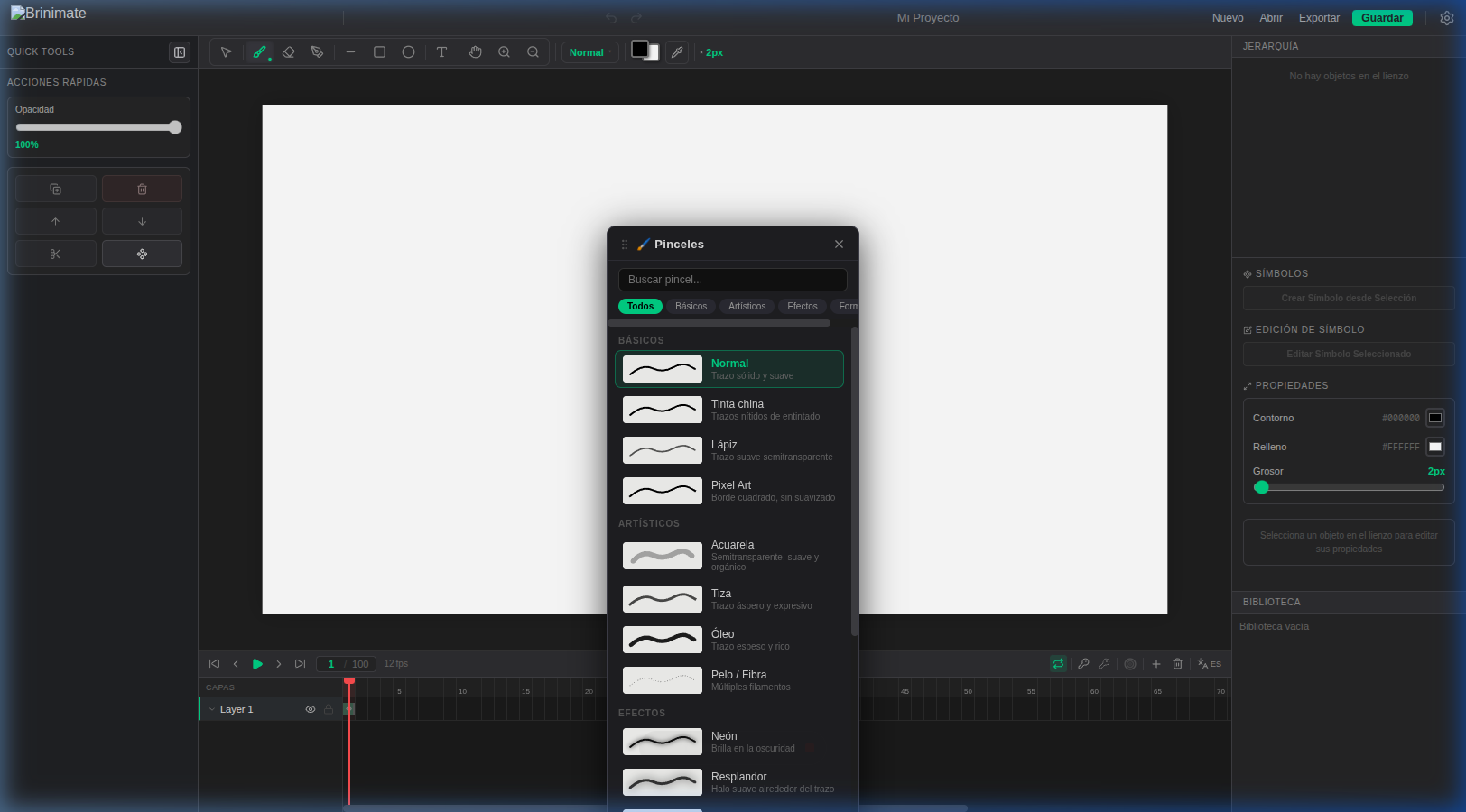
To start drawing, select the Brush (B) tool from the top toolbar. If you click the icon again (or the active brush’s name badge), the Brush Panel will pop up — a floating control center you can drag anywhere on your screen.
Brush Categories
We’ve organized the 18 styles into 4 main categories to boost your workflow:
- Basics: Normal, Ink (crisp edges), Pencil (organic and semi-transparent), and Pixel Art.
- Artistic: Watercolor, Chalk, Oil, and Hair/Fiber. These brushes add texture and depth to your illustrations.
- Effects: Neon (with real glow), Glow, and Sparkles. Perfect for magical touches or city lights.
- Shapes: Marker, Airbrush, Dotted, Spray, and more.
✨ Live Previews
One of Brinimate’s most powerful features is the Live Preview. In the panel, each brush displays a small “S” stroke sample. The cool part is that the sample renders in real-time using your current stroke color and size.
Want to see how red Neon at 5px looks? Just adjust your properties and the panel updates instantly before you even touch the canvas.
Pro Tip: The Airbrush
The Airbrush is your best friend for creating soft shadows or sky gradients without messing with complex mesh tools. Use it with low opacity for espectacular color blending.
Start experimenting with brushes now and give your animations a unique style!